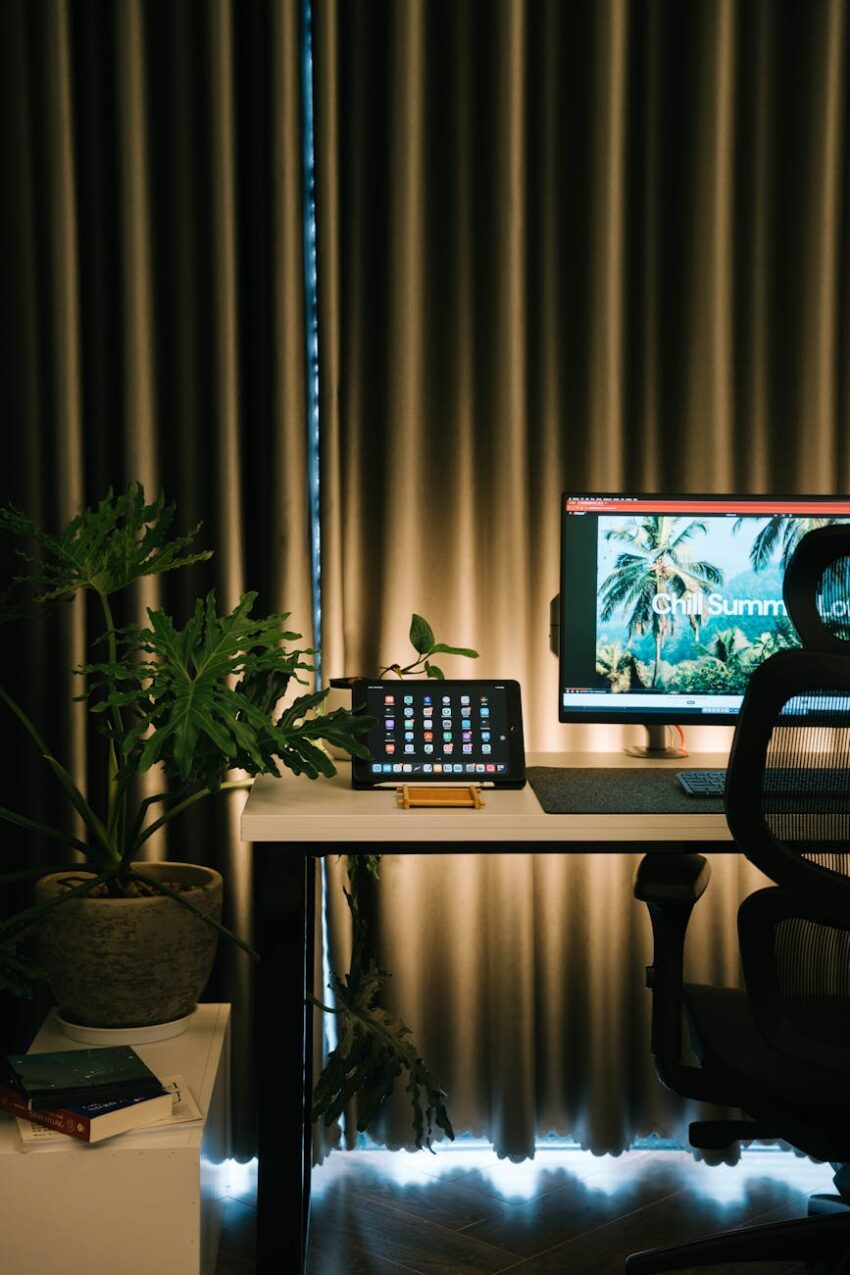
Ever found yourself hunched over your laptop, neck craning, shoulders screaming, after just an hour or two of online learning? Or maybe you’re nodding off by mid-afternoon, not because the content is boring, but because your body feels like it’s run a marathon? Yeah, I’ve been there. More times than I care to admit, honestly.
The truth is, for many of us, the shift to e-learning, whether it’s for a degree, a professional certification, or just picking up a new hobby, happened fast. We scrambled to set up a “study space” – often the kitchen table, a corner of the couch, or a spare bedroom desk that saw more dust than documents. And what most people miss is that while the content might be online, your body is still very much in the physical world. Neglecting your physical setup isn’t just about temporary discomfort; it’s a fast track to burnout, chronic pain, and a serious hit to your focus and productivity. It’s time to talk about building your perfect, ergonomic online study zone.
Why Your Back (and Brain) Will Thank You
I remember one semester a few years back, I was so engrossed in a particularly challenging online course that I barely looked up. My “desk” was a stack of old books on a flimsy coffee table, and my “chair” was a cushion on the floor. Within a couple of weeks, I had a constant dull ache in my lower back, my wrists felt perpetually stiff, and my concentration was shot. I was spending more time shifting positions and trying to get comfortable than actually absorbing information. It was a disaster.
Look, our bodies aren’t designed to sit rigidly for hours on end, especially not in awkward positions. Poor ergonomics can lead to a whole host of problems: back pain, neck pain, headaches, carpal tunnel syndrome, eye strain, and general fatigue. When you’re constantly fighting discomfort, your brain isn’t fully engaged in learning. It’s diverting precious energy to nagging pains, which means less capacity for understanding complex concepts or retaining new information. It’s a lose-lose situation, and frankly, it’s entirely avoidable.
The Core Components of Your Ergonomic Haven
Building an ergonomic study zone isn’t about buying the most expensive gear (though a good chair is an investment I always recommend). It’s about smart choices and thoughtful adjustments. Think of it as creating a personalized cockpit for your learning journey.
The Throne: Your Chair
If there’s one piece of advice I could give anyone about their study setup, it’s this: don’t skimp on your chair. Seriously. This is where you’ll be spending a significant amount of time. A good ergonomic chair is adjustable in multiple ways – seat height, seat depth, backrest angle, lumbar support, and armrest height. You want your feet flat on the floor (or on a footrest if you’re shorter), knees at about a 90-degree angle, and your lower back well-supported.
I personally use a chair with excellent lumbar support and adjustable armrests. When I first got it, I spent a good half hour playing with all the levers until it felt just right. Now, I can sit for extended periods without that familiar ache starting to creep in. It’s made a world of difference. If you can’t afford a brand-new ergonomic chair right away, try adding a lumbar support cushion and make sure your current chair is at the correct height relative to your desk.
The Command Center: Desk and Monitor Setup
Your desk should be at a height that allows your arms to rest comfortably, with your forearms roughly parallel to the floor, forming a 90-degree angle at the elbow when you’re typing. If your desk is too high, you’ll be shrugging your shoulders; too low, and you’ll be hunching.
Now, let’s talk about the monitor. This is crucial for preventing eye and neck strain. Your monitor should be positioned directly in front of you, about an arm’s length away. The top of the screen should be at or slightly below eye level. This prevents you from craning your neck up or down. I’ve found that using a monitor stand or even a stack of sturdy books can work wonders for getting the height right.
If you’re primarily using a laptop, here’s a big one: get an external monitor, keyboard, and mouse. Trying to use a laptop as your primary device for hours on end forces you to compromise either your neck (if the screen is at eye level) or your wrists (if the keyboard is low). Elevate your laptop to eye level (using a stand or books) and plug in external peripherals. It’s a game-changer, believe me.
Oh, and standing desks? They’re fantastic for breaking up long periods of sitting. Even if you can’t get a full sit-stand desk, consider a desktop converter. Alternating between sitting and standing throughout the day can significantly boost your energy levels and reduce stiffness.
Hands-On Comfort: Keyboard and Mouse
Your keyboard and mouse are extensions of your hands, and they need to be treated with respect. Position your keyboard directly in front of you, centered, so you’re not twisting your body. Your wrists should be straight, not bent up or down, and your fingers should naturally curve over the keys. A wrist rest can be helpful, but it should support the heel of your hand, not your actual wrist, to avoid compressing nerves.
For the mouse, keep it close to your keyboard to avoid reaching. If you find yourself experiencing wrist pain, you might want to explore an ergonomic mouse (like a vertical mouse) or even trackballs, which can reduce repetitive strain. I switched to a vertical mouse a couple of years ago after noticing some persistent wrist discomfort, and it’s been a revelation. It feels odd at first, but your wrist thanks you.
The Light & Sound Show: Ambient Factors
What most people miss is how much ambient factors impact their study zone. Good lighting is essential to prevent eye strain. Ideally, you want natural light, so try to position your desk near a window. However, avoid glare on your screen. If natural light isn’t an option, use a desk lamp that provides soft, diffused light, and make sure your room is generally well-lit to avoid harsh contrasts.
Sound is another big one. For some, complete silence is key. For others, a bit of background noise – lo-fi music, ambient sounds, or even a white noise generator – can help with focus. Experiment to find what works for you. I personally thrive with instrumental music playing softly; it helps me tune out distractions without being distracting itself.
Beyond the Gear: Habits and Movement
You can have the most expensive ergonomic setup in the world, but if you sit like a statue for eight hours straight, you’re still going to suffer. Ergonomics isn’t just about equipment; it’s about habits.
The Power of the Break
Here’s the thing: regular breaks are non-negotiable. I’m a huge proponent of the Pomodoro Technique (25 minutes work, 5 minutes break). During those 5-minute breaks, I don’t just scroll on my phone. I stand up, stretch, walk around, maybe grab a glass of water. Every hour or so, I take a longer 10-15 minute break to really reset. These micro-breaks are vital for blood circulation, reducing muscle stiffness, and giving your eyes a much-needed rest from the screen.
Do some simple stretches! Neck rolls, shoulder shrugs, wrist circles – they take seconds but can prevent a lot of tension from building up. I even keep a small resistance band near my desk for quick shoulder and back stretches.
Personalize Your Space
Lastly, make your study zone a place you actually *want* to be. Add a plant, a favorite photo, or a piece of art. Keep it tidy and decluttered. A pleasant environment can significantly impact your mood and motivation. My desk has a small succulent, a framed photo of my dog, and a diffuser with some calming essential oils. It makes the space feel personal and inviting, not just functional.
My Personal Takeaway (and Yours!)
Building an ergonomic e-learning setup isn’t a luxury; it’s a necessity for anyone serious about their online education and their long-term health. It might take a little time and perhaps a small investment upfront, but trust me, the payoff in terms of comfort, focus, and avoiding pain is immense. You’ll feel better, learn more effectively, and have the energy to pursue your goals without your body holding you back.
So, take a look at your current setup right now. What’s one small change you can make today to improve it? Even tiny adjustments can make a big difference. Your future self (and your future back) will absolutely thank you for it.
Frequently Asked Questions
What’s the most important ergonomic item to invest in first?
Hands down, an adjustable ergonomic chair. It forms the foundation of good posture and can prevent a host of issues like back and neck pain. If you can only buy one thing, make it a good chair.
I use a laptop. Do I really need an external monitor and keyboard?
Yes, absolutely! While convenient for portability, a laptop’s integrated design forces compromises. Elevating the screen to eye level makes the keyboard too high, and vice versa. An external monitor, keyboard, and mouse allow you to achieve optimal ergonomic positions for all parts of your body, drastically reducing strain over long study sessions.
How often should I take breaks, and what should I do during them?
Aim for short breaks every 25-30 minutes (like the Pomodoro Technique) and longer breaks every hour or so. During short breaks, stand up, stretch, walk a few steps, or look away from your screen (e.g., out a window). For longer breaks, step away from your desk entirely, grab a snack, do some light exercises, or engage in a quick non-screen activity.
My desk isn’t adjustable. What can I do to improve its ergonomics?
If your desk is too high, use a footrest to ensure your feet are flat and your knees are at 90 degrees. If it’s too low, you can try raising it with sturdy risers (be cautious with stability!) or, more practically, invest in a good ergonomic chair that can adjust to allow your forearms to be parallel to the desk surface.
Are standing desks really worth it?
Many people, including myself, find standing desks incredibly beneficial. They help break up long periods of sitting, improve circulation, and can boost energy and focus. You don’t have to stand all day; the key is alternating between sitting and standing throughout your study sessions. Even a desktop converter can offer similar benefits.