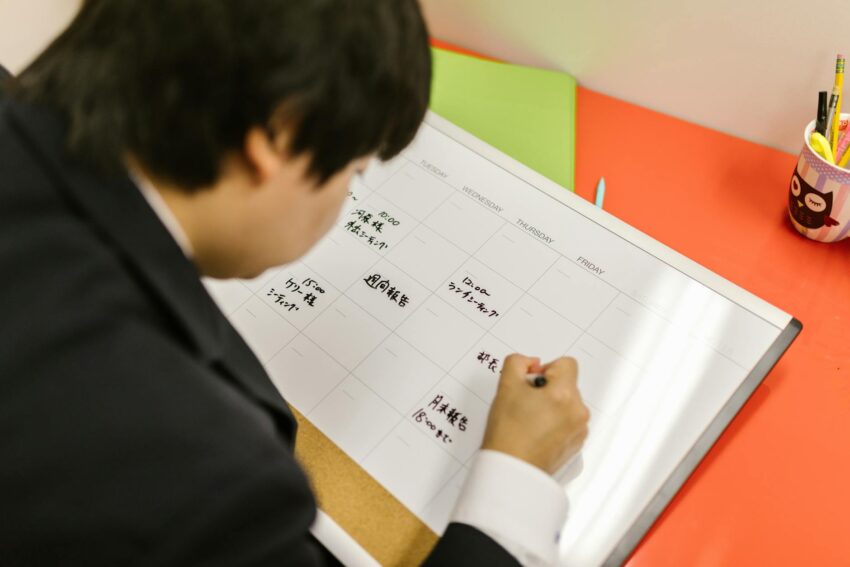
Ever feel like your e-learning journey is less a smooth path and more a chaotic scramble? One minute you’re diving deep into a fascinating module, the next you’re distracted by an urgent email, a family request, or simply the sheer weight of your never-ending to-do list. Before you know it, hours have evaporated, and that study session you planned? It’s now a vague memory, replaced by a nagging sense of guilt and overwhelm.
Sound familiar? If you’re nodding along, you’re in good company. I’ve been there, countless times. As someone who’s navigated the choppy waters of online learning while juggling a demanding career, a family, and a semblance of a social life, I understand the unique tightrope walk that is e-learning. The freedom is amazing, right? But that very freedom can be a double-edged sword, leaving you adrift in a sea of unstructured time and competing priorities.
Here’s the thing: mastering your schedule isn’t about working harder; it’s about working smarter. And for e-learners, there’s one strategy that has consistently proven to be an absolute game-changer for me and countless others: smart time blocking. Now, before you groan and imagine a rigid, suffocating calendar, hear me out. This isn’t about micromanaging every second of your day. It’s about intentionally carving out space for what truly matters, especially your education, and protecting that space fiercely.
I’m not talking about some magic bullet, but a practical, adaptable system that can transform your e-learning experience from a stressful sprint into a focused, sustainable journey. Let’s dig in.
Why E-Learning Demands a Different Approach to Time Management
Online learning is fantastic, offering unparalleled flexibility and access. But it also comes with its own set of challenges that traditional, in-person education often doesn’t:
- Lack of External Structure: No fixed class times, no professor physically reminding you about deadlines, no peer pressure to show up. It’s all on you.
- Endless Distractions: Your study space is often your living space. The laundry, the TV, your phone, the kids – they’re all vying for your attention.
- Self-Discipline is Paramount: You’re the CEO of your own learning. This requires a level of self-motivation and organizational skill that many people haven’t had to cultivate before.
- The “Always On” Mentality: Because you can study anytime, anywhere, it often feels like you should be studying all the time, leading to burnout.
- Procrastination’s Playground: Without clear boundaries, it’s easy to push off tasks until the last minute, creating unnecessary stress.
This is precisely where time blocking shines. It doesn’t just manage your time; it creates a mental container for your learning, protecting it from the chaos of everyday life. It’s like building a fence around your study time, signaling to yourself and others that this period is dedicated to your growth.
What Most People Miss About Time Blocking
When I first heard about time blocking, I pictured a calendar so packed it looked like a Tetris game gone wrong. I thought it meant scheduling bathroom breaks and feeling guilty if I strayed even a minute from my plan. And honestly, that kind of rigid thinking is why many people try it once and give up.
The truth is, smart time blocking isn’t about rigidity; it’s about intentionality. It’s about making conscious choices about how you spend your most precious resource – your time – before the day starts dictating those choices for you. It’s about moving from a reactive mode (“What should I do now?”) to a proactive one (“I know exactly what I’m doing now, and it aligns with my goals.”).
For e-learning, this means:
- Reducing decision fatigue (“What should I study next?”).
- Creating dedicated “deep work” periods free from distractions.
- Ensuring you allocate sufficient time to complex subjects.
- Preventing important study tasks from being pushed aside by urgent-but-less-important ones.
- And crucially, making time for rest and other life commitments, preventing burnout.
Ready to reclaim your schedule and truly master your e-learning journey? Let’s break it down.
Your Step-by-Step Guide to Smart Time Blocking for E-Learning
This isn’t a one-size-fits-all solution; it’s a framework you’ll adapt. Think of it as a living document, a flexible blueprint for your most productive self.
Step 1: The Grand Brain Dump – Get Everything Out of Your Head
Before you can block time, you need to know what you’re blocking it for. Grab a notebook, open a digital document, or use a tool like Trello. Now, list absolutely everything that’s occupying your mental space:
- E-learning tasks: Read Module 3, watch Lecture 5, complete Assignment 2, research for final paper, review notes for upcoming quiz, collaborative project meeting.
- Work tasks: Client report, team meeting, respond to emails, project review.
- Personal tasks: Groceries, gym, doctor’s appointment, call mom, pay bills, walk the dog, meal prep.
- Fixed commitments: Work hours, family dinner, kids’ school pickup, recurring meetings.
Don’t filter. Just get it all down. This step alone can feel incredibly liberating, as it moves the clutter from your mind to a tangible list.
Step 2: Prioritize Like a Pro – What Truly Matters?
Now that you have your exhaustive list, it’s time to get real about what needs your attention most. Not everything is equally important or urgent. I like to use a modified Eisenhower Matrix in my head, categorizing tasks into:
- Urgent & Important: Deadlines looming, critical for progress. (Do these NOW or very soon)
- Important, Not Urgent: Long-term projects, skill development, proactive learning. (Schedule these deliberately)
- Urgent, Not Important: Interruptions, some emails, minor requests. (Delegate or minimize)
- Not Urgent, Not Important: Distractions, time-wasters. (Eliminate or push way off)
For your e-learning, focus on those “Important” tasks. What assignments have hard deadlines? What modules build on previous ones? What research is crucial for your final project? Circle those. These are your non-negotiables.
In my own journey, I once had a major work project due the same week as a substantial e-learning essay. Without prioritization, I would have just flailed between the two, feeling inadequate at both. By clearly identifying the “urgent & important” for each, I could dedicate specific, uninterrupted blocks to each, rather than trying to context-switch constantly. It literally saved my sanity (and my grades!).
Step 3: Estimate Time Realistically – And Then Add a Buffer
This is where many people stumble. We’re notoriously bad at estimating how long tasks will take. It’s called the “planning fallacy.” You think reading a chapter will take 30 minutes, but then you get stuck on a concept, look up supplementary materials, and suddenly an hour has passed.
Go through your prioritized list and estimate how long each task will *actually* take. Be generous. If you think it’ll take 30 minutes, block 45. If an assignment typically takes you 2 hours, block 2.5 or even 3. It’s far better to finish early and have a little extra time (or a mini-break) than to constantly be running behind.
Step 4: Design Your Ideal Week (The Macro Block)
This is where we start blocking! I prefer to do this at the start of each week, usually Sunday evening. Pull out your calendar (digital like Google Calendar or Outlook is great for this, but a large physical planner works too). Start with your fixed commitments:
- Non-negotiable work hours: Block these out first.
- Essential personal commitments: Family dinners, school runs, recurring appointments.
- Self-care: Sleep! Exercise! Meal times! Seriously, block these in. Skipping them is a fast track to burnout. You can’t learn effectively if you’re exhausted and depleted.
Once those are in, look at the remaining white space. This is where your e-learning magic happens. Identify your prime study windows. Are you a morning person? An evening owl? Block your most challenging e-learning tasks during your peak energy times. Schedule lighter tasks (like reviewing notes or responding to forum posts) during times when your energy might dip.
When I was pursuing my master’s degree, I had a full-time job and two young children. My “ideal week” looked a bit unconventional. My prime study time was 5:30 AM to 7:00 AM before anyone else in the house woke up, and then another block from 8:30 PM to 10:00 PM after the kids were in bed. I also carved out a 3-hour block on Saturday mornings. It wasn’t perfect, and it meant sacrifices, but by blocking it, I made it non-negotiable.
Step 5: Block It Out – The Micro Blocks
Now, let’s get specific. Instead of just “Study for Psychology,” block “Psychology: Read Chapter 4 (9:00-10:00 AM)” and “Psychology: Outline Essay 1 (10:00-11:30 AM).” Break down large assignments into smaller, manageable chunks. This makes them less daunting and easier to slot into your schedule.
Remember to:
- Include breaks: A 15-minute stretch or coffee break after an hour or 90 minutes of focused work is crucial. Your brain needs to rest and consolidate information.
- Batch similar tasks: Instead of checking email every 15 minutes, block a specific 30-minute window for “Admin & Emails.” Do your research in one go, rather than scattered throughout the day.
- Be specific: The more defined your block, the less mental energy you’ll spend deciding what to do.
Step 6: Review, Reflect, and Adjust – Time Blocking is a Living System
This might be the most crucial step, and it’s one that many people skip. Your first few weeks of time blocking won’t be perfect. You’ll overestimate, underestimate, get interrupted, or just feel like not doing what you’ve scheduled. That’s okay! This isn’t about perfection; it’s about progress.
At the end of each day or week, take 10-15 minutes to review:
- What did you accomplish?
- What didn’t you get to, and why?
- Were your time estimates accurate?
- When were you most productive? Least productive?
- What unexpected things came up?
Use these insights to adjust your next day or week. Maybe you realize you’re useless at studying complex topics after lunch. So, switch those blocks to earlier in the day. Perhaps you need longer breaks, or shorter study bursts. Your schedule should serve you, not the other way around. This continuous feedback loop is what makes time blocking sustainable and effective in the long run.
Advanced Time Blocking Strategies for the E-Learner
Once you’ve got the basics down, you can layer on some more sophisticated techniques to really supercharge your e-learning productivity.
Energy Management: Match Tasks to Your Peaks and Troughs
Look, we all have times of the day when we’re sharper, more focused, and bursting with energy, and times when we’re sluggish and prone to distraction. For me, I’m a morning person. My brain is firing on all cylinders from 6 AM to about 11 AM. That’s when I tackle the most demanding e-learning tasks – complex readings, essay writing, deep problem-solving. Afternoons are better for lighter work like reviewing notes, administrative tasks, or collaborative calls. What about you? Pay attention to your own energy cycles and schedule your “deep work” (e-learning that requires intense focus) for your peak times.
The Power of the “Default Calendar”
What happens if you *don’t* block your time? Most often, your day gets filled with reactive tasks, interruptions, and whatever screams loudest for your attention. The “default” becomes distraction and busywork. By building a time-blocked calendar, you’re creating a new, productive default. You’re proactively deciding what fills your hours, ensuring your e-learning gets its rightful place.
Buffer Blocks: Your Secret Weapon Against the Unexpected
Life happens, right? A kid gets sick, a work emergency pops up, your internet goes down. Instead of letting these derail your entire schedule, build in “buffer blocks.” These are 30-60 minute slots in your week specifically designed to absorb unexpected tasks or allow you to catch up if a previous block ran over. I usually place one in the late afternoon or mid-morning. It’s like having a little safety net for your schedule.
“No” Blocks: Protecting Your Focus
Sometimes, the best thing you can schedule is a “no” block. This is a period where you commit to not checking email, not answering non-urgent calls, and generally being unavailable for anything but your scheduled task. For e-learning, this is your deep study time. Communicate these boundaries to family or colleagues if possible. “I’ll be unavailable for the next hour while I focus on my module” can make a huge difference.
Overcoming Common Time Blocking Hurdles
It sounds great in theory, but what about when real life kicks in? Don’t worry, you’re not alone. I’ve faced every one of these challenges.
“I feel too rigid and constrained!”
This is a common reaction. Remember, time blocking is a tool for freedom, not a prison. If your schedule feels too tight, you’ve probably overestimated your capacity or not built in enough flexibility. Start with blocking just 1-2 hours a day for e-learning, then slowly expand. Add more buffer time. Remind yourself that you’re in control; you can always adjust.
“I keep getting interrupted!”
Ah, the bane of every e-learner’s existence! Here’s what I’ve found helps:
- Communicate: Let family/housemates know your study times. “I’m going to be focused on my course for the next hour; please only interrupt if it’s an emergency.”
- Create a dedicated space: Even if it’s just a corner of a room, a place where you consistently study helps signal to your brain (and others) that it’s “work mode.”
- Turn off notifications: Phones, email, social media. They are productivity killers.
- Use your buffer blocks: Reschedule non-urgent requests into these slots.
“I just can’t stick to it. I procrastinate!”
This isn’t a failure of time blocking; it’s a human tendency. Time blocking actually helps combat procrastination by making tasks less intimidating. If you’re procrastinating, ask yourself:
- Is the task too big? Break it down further. “Write 200 words for essay” is easier to start than “Write Essay.”
- Are you dreading it? Schedule it for your peak energy time, get it done, and enjoy the relief.
- Do you lack motivation? Remind yourself of your “why.” Why are you doing this e-learning? What are your long-term goals?
And honestly, sometimes you just have to start. The act of sitting down and opening your materials is often the hardest part.
“I feel guilty if I don’t follow my schedule perfectly.”
Dump the guilt! This isn’t about perfection; it’s about progress. There will be days when your schedule goes completely off the rails. That’s life. The beauty of time blocking is that you can simply pick it up again the next day or in the next available block. Don’t let one missed block derail your entire week. Be kind to yourself. Learn from it, adjust, and move on.
Tools and Tech That Can Help (But Don’t Overcomplicate It!)
You don’t need fancy software to time block. The method is far more important than the tool. However, some tools can certainly make it easier:
- Google Calendar / Outlook Calendar: My personal go-to. Easy to set up recurring blocks, drag and drop, and color-code different types of tasks (e.g., green for e-learning, blue for work, orange for personal). They sync across devices, which is super convenient.
- Physical Planner: If you love the tactile feel of writing things down, a good old-fashioned planner can be incredibly effective. The act of writing can help solidify your intentions.
- Digital Task Managers (like Todoist, Trello, Asana): These are great for Step 1 (the brain dump) and Step 2 (prioritization). You can then pull tasks from these into your calendar. Just don’t get stuck in “planning to plan” mode!
- Focus Apps (like Forest, Freedom): If distractions are a major issue, these apps can block distracting websites and apps during your study blocks.
Start simple. A free digital calendar is usually all you need to get going.
Embrace the Power of the Block
Look, the journey of e-learning is incredibly rewarding, but it demands a level of self-management that many people aren’t prepared for. Smart time blocking isn’t a magic wand, but it’s the closest thing I’ve found to one. It empowers you to take control, to be proactive, and to consistently show up for your education, even when life gets busy.
It won’t be perfect from day one, and you’ll definitely have to tweak and adjust along the way. But I promise you, the effort is worth it. You’ll reduce stress, boost your productivity, and ultimately, achieve your e-learning goals with a greater sense of calm and accomplishment. So, why not give it a try? Block out your first e-learning session today. Your future self will thank you.
Frequently Asked Questions About Time Blocking for E-Learning
Q1: How much time should I dedicate to time blocking each week?
A1: Setting up your weekly time blocks usually takes me about 15-30 minutes on a Sunday evening. Reviewing and adjusting daily might take 5-10 minutes. It’s a small investment for the clarity and focus it brings to the rest of your week.
Q2: What if my schedule is constantly changing? Is time blocking still useful?
A2: Absolutely! In fact, it’s even more useful. A flexible schedule means you need a framework to ensure your e-learning doesn’t get pushed aside. Use your fixed commitments as anchors, and then block in your e-learning around the variability. Digital calendars are fantastic for this, as you can easily drag and drop blocks as things change. The goal isn’t a rigid adherence, but a clear intention for where your time will go.
Q3: Should I block out personal time, like watching TV or hobbies?
A3: Yes! I highly recommend it. Time blocking isn’t just for “work.” Blocking in leisure, exercise, family time, and even just “free time” ensures these essential aspects of your life don’t get squeezed out by your e-learning or other commitments. It’s crucial for preventing burnout and maintaining a healthy balance.
Q4: I have multiple e-learning courses. How do I manage them with time blocking?
A4: This is a perfect scenario for time blocking! I suggest color-coding each course on your calendar. You can dedicate specific days to specific courses (e.g., “Tuesday is History, Thursday is Science”) or alternate blocks within a day. For example, “9-11 AM: Course A, 1-3 PM: Course B.” This helps your brain context-switch less and focus more deeply on one subject at a time.
Q5: What’s the biggest mistake people make when starting with time blocking?
A5: The biggest mistake is trying to be too perfect or too rigid from the start. People often try to block every single minute, don’t include enough buffer time, and then get discouraged when they can’t stick to it. Start small, be flexible, and remember that the goal is progress, not perfection. Embrace the adjustment phase; it’s a normal and necessary part of making time blocking work for you.