Ever had that unsettling feeling? You know, the one where you just talked about needing new running shoes, and suddenly every ad on your feed is about the latest Nike release? Or maybe you filled out a seemingly innocuous online survey, and now your inbox is flooded with promotions for things you vaguely recall mentioning. It’s like someone’s always listening, always watching, always cataloging your every digital move.
For too long, many of us have felt like passive participants in this digital economy, our personal data the invisible currency traded without our explicit consent or even our awareness. We click “Agree” on endless terms and conditions we don’t read, sign up for “free” services, and leave a trail of breadcrumbs so vast and detailed that it could reconstruct our lives – our habits, our preferences, our deepest desires – for anyone willing to piece it together. The truth is, that data is being pieced together, analyzed, and used. And it’s not always for our benefit.
I’ve been in the tech space for a good while now, and I’ve watched this problem escalate from a niche concern to a mainstream crisis. I remember a time when the biggest worry was a virus on your floppy disk! Now, it’s about the very essence of your digital identity, your privacy, and ultimately, your autonomy. For years, I just accepted it as “the cost of doing business” online. Then, after a particularly aggressive targeted ad campaign followed me across multiple sites – all based on a single search for a niche hobby item – I had an epiphany. I thought, “Enough is enough.” I realized I didn’t have to just accept this. There had to be a way to fight back, to reclaim some semblance of control over my own information.
That’s when I really started diving deep into data privacy tools. And what I found was a whole arsenal of solutions, some simple, some more complex, all designed to put you back in the driver’s seat. It’s not about becoming a digital recluse; it’s about being an informed, empowered user. It’s about making deliberate choices instead of having choices made for you based on data you didn’t even know was collected. If you’re ready to stop feeling like a product and start feeling like a person again online, then you’re in the right place.
The Invisible Web: Why Our Data Is So Valuable (and Vulnerable)
Before we jump into the solutions, let’s briefly underscore the problem. What exactly are we protecting ourselves from? What makes our data so precious?
Look, every click, every search, every purchase, every scroll – it all generates data. This data is aggregated, analyzed, and used to build incredibly detailed profiles of us. Companies use these profiles for targeted advertising, sure, but also for things like predicting creditworthiness, influencing political opinions, or even determining insurance premiums. It’s not just about selling you more stuff; it’s about understanding and predicting your behavior on a profound level.
What most people miss is that this data isn’t just sitting in one company’s database. It’s often shared, bought, and sold by data brokers – shadowy entities whose entire business model revolves around collecting, packaging, and selling your personal information to anyone willing to pay. Think about those online quizzes you took years ago, or that app you downloaded that asked for “access to your contacts.” Those seemingly minor permissions can lead to significant leaks of your personal graph.
Then there’s the ever-present threat of data breaches. Remember the Equifax breach? Or the countless others that regularly make headlines? These aren’t just abstract news stories. Each one represents millions of individuals whose sensitive information – names, addresses, Social Security numbers, financial details – was exposed to criminals. I once had my credit card details compromised not from a direct hack on me, but from a breach at a small online retailer I’d barely used. It was a stark reminder that our data security is only as strong as the weakest link in the chain of every service we interact with.
The bottom line is this: in our interconnected world, your personal information is both a commodity and a target. But you don’t have to be a helpless victim. You can take action.
Your Digital Self-Defense Arsenal: Essential Data Privacy Tools
Alright, enough with the doom and gloom! Let’s talk about solutions. Building a robust data privacy strategy isn’t about buying one magical tool. It’s about adopting a layered approach, using different tools for different aspects of your digital life. Think of it like building a fortress, brick by brick.
Browser-Based Protectors: Your First Line of Defense
Your web browser is where you spend a huge chunk of your online time, so it’s a critical place to start. Many mainstream browsers like Chrome and Edge are built with advertising ecosystems in mind, meaning they inherently track more than you might realize.
- Privacy-Focused Browsers: Ditching Chrome or Safari for alternatives is a powerful first step.
- Brave: This is a browser I personally use daily. It blocks ads and trackers by default, even rewarding you with cryptocurrency for viewing privacy-respecting ads if you opt in. It’s built on Chromium, so the transition feels familiar.
- Firefox: A long-standing champion of open-source and privacy, Firefox offers robust tracking protection and a wide array of extensions. It’s highly customizable, which I love.
- Vivaldi: Another Chromium-based option that prioritizes user control and privacy, with tons of built-in features that reduce the need for extensions.
- Tor Browser: For maximum anonymity, especially when you need to bypass censorship or engage in highly sensitive browsing, Tor is the gold standard. It routes your traffic through multiple relays, making it incredibly difficult to trace. It’s slower, but the privacy gains are undeniable.
- Browser Extensions: Even if you stick with a less private browser (though I’d strongly encourage you to reconsider!), these extensions can significantly enhance your privacy.
- uBlock Origin: This isn’t just an ad blocker; it’s a wide-spectrum content blocker. It stops trackers, malware, and intrusive pop-ups dead in their tracks. It’s incredibly efficient and lightweight. I consider this an absolute must-have on any browser.
- Privacy Badger: Developed by the Electronic Frontier Foundation (EFF), Privacy Badger automatically learns and blocks invisible trackers based on their behavior. It’s a “set it and forget it” kind of tool.
- Decentraleyes: This extension protects you against tracking via Content Delivery Networks (CDNs) by locally providing common web libraries. It sounds technical, but it essentially reduces the number of third-party requests your browser makes.
- HTTPS Everywhere: Another EFF creation, this extension encrypts your communications with many major websites, forcing them to use the more secure HTTPS protocol whenever possible. It’s like a digital bodyguard for your data in transit.
My own setup involves Brave as my main browser, with uBlock Origin running for extra peace of mind, even though Brave has its own blockers. For anything truly sensitive, I’ll hop over to Firefox with a full suite of extensions or even Tor, depending on the need. It’s about matching the tool to the task.
VPNs: Your Digital Cloak
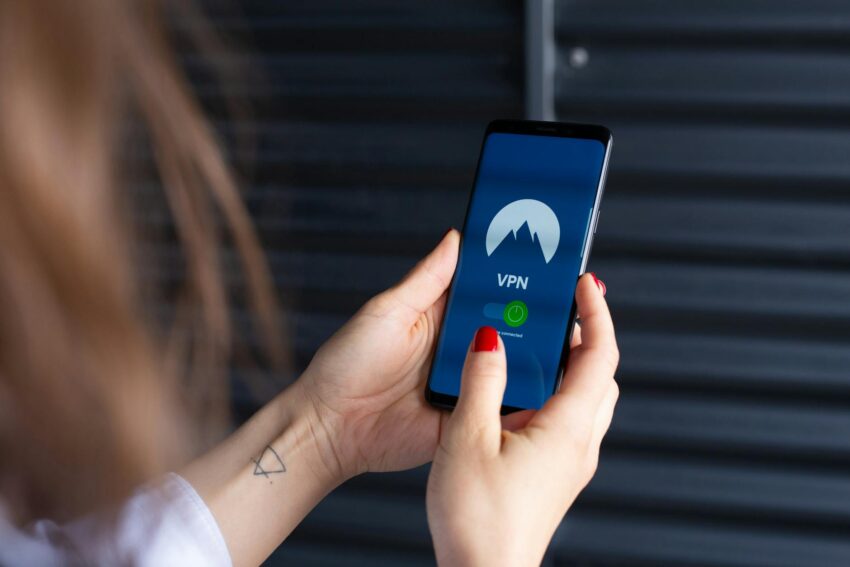
A Virtual Private Network (VPN) creates a secure, encrypted connection over a less secure network, like the internet. Think of it as building a private tunnel through public space. Your data travels through this tunnel, hidden from prying eyes, and your IP address (your internet identifier) is masked by the VPN server’s IP address.
- What they do: Encrypt your internet traffic, hide your IP address and location, bypass geo-restrictions, and protect your data on public Wi-Fi.
- When to use them: Always use a VPN on public Wi-Fi (airports, coffee shops – seriously, your data is exposed there). I also use mine at home for general browsing, especially when I’m accessing financial sites or just want to avoid my ISP seeing my every move. They’re fantastic for accessing content that might be region-locked, too.
- Choosing a good VPN: This is crucial. Don’t just pick the cheapest or the one with the loudest ads. Look for:
- No-logs policy: This means the VPN provider doesn’t keep records of your online activity. Independent audits are a huge plus here.
- Reputable company: Go with well-established providers that have a solid track record.
- Strong encryption: AES-256 is the industry standard.
- Kill switch: This feature automatically disconnects your internet if the VPN connection drops, preventing accidental data leaks.
- Server network: A wide network means more options for speed and bypassing restrictions.
I learned the hard way about public Wi-Fi security. Years ago, I was traveling and briefly logged into my email on an unsecured hotel network. A few days later, I got a phishing email that looked eerily legitimate, referencing something I’d discussed in an email from that very hotel. Coincidence? Maybe. But ever since, my VPN is the first app I open when I connect to any public Wi-Fi. It’s just not worth the risk.
Password Managers: Fortifying Your Gates
This is arguably the most fundamental privacy and security tool, yet so many people still rely on weak, reused passwords. Here’s the thing: if a single one of your online accounts is breached, and you’ve used the same password elsewhere, every other account is now vulnerable. It’s like having one key for your house, car, office, and safety deposit box. Madness!
- The importance: Strong, unique passwords for every single online account are non-negotiable. Password managers make this not only possible but easy.
- How they work:
- They generate complex, random passwords that are virtually impossible to guess.
- They store all your passwords securely, encrypted with a single master password that only you know.
- They autofill your login credentials, saving you time and preventing phishing attacks (since they only fill on legitimate sites).
- Recommendations:
- LastPass: Very popular, easy to use, and offers a good free tier.
- 1Password: A premium option known for its robust security and excellent user experience, especially within Apple’s ecosystem.
- Bitwarden: An open-source, highly secure option that offers a fantastic free plan and self-hosting capabilities for the more tech-savvy. This is my personal choice.
I used to be terrible with passwords. I had a rotation of maybe five different ones, slightly modified, for dozens of accounts. Then, about seven years ago, I got caught in a credential stuffing attack – hackers took a username/password combo from one breached site and tried it on dozens of others. They got into my old Spotify account and even tried my bank. That was my wake-up call. I spent a whole weekend migrating everything to a password manager, and I haven’t looked back. It’s a huge upfront effort, but the peace of mind is priceless.
Encrypted Communication Tools: Speak Freely
Default messaging and email services often lack end-to-end encryption, meaning your conversations could potentially be intercepted and read by third parties (including the service providers themselves). Encrypted communication tools ensure only you and your intended recipient can read your messages.
- Messaging:
- Signal: This is my go-to. It’s free, open-source, and widely regarded as the gold standard for secure messaging. It offers end-to-end encryption for all messages, calls, and file transfers.
- Threema: A paid, privacy-focused messenger that prioritizes anonymity and doesn’t require linking to a phone number or email address.
- Email:
- ProtonMail: Based in Switzerland, ProtonMail offers end-to-end encrypted email and calendar services. They have a strong commitment to privacy and a solid free tier.
- Tutanota: Another excellent German-based encrypted email service, known for its strong focus on security and open-source code.
I made the switch to Signal a few years ago when I realized how much personal and sensitive information I was sharing over standard messaging apps. It was a bit of a hurdle getting friends and family to switch, but once they experienced the benefits and understood the “why,” most were happy to make the jump. It just feels safer knowing my private conversations truly stay private.
Privacy-Focused Search Engines: Beyond Google
Google is powerful, no doubt. But its business model is built on collecting your search queries and using that data to build profiles for advertising. Other search engines prioritize your privacy.
- DuckDuckGo: My daily driver. It doesn’t track your searches, keeps your personal information private, and shows everyone the same search results (no filter bubbles!).
- Startpage: This search engine sources its results from Google but strips out all identifying information, so you get Google’s power without Google’s tracking.
- SearX: An open-source metasearch engine that aggregates results from various search services without storing any information about its users. It’s more for the privacy purists.
It’s a subtle but significant shift. I remember the first time I used DuckDuckGo exclusively for a week. I immediately noticed that the targeted ads following me around weren’t quite as creepy or specific. It’s a small change with a big impact on reducing your data footprint.
Operating System & Device Settings: The Foundations
All the apps and browsers in the world won’t protect you if your core operating system (OS) isn’t configured for privacy. Your phone, tablet, and computer have deep-seated privacy settings you absolutely need to review.
- Review app permissions: On iOS and Android, regularly go through your app permissions. Does that flashlight app really need access to your camera and microphone? Does that game need your precise location 24/7? Deny permissions you deem unnecessary.
- Location services: Limit location access to “while using” for most apps, or “never” for those that don’t genuinely need it. Your precise movements are incredibly valuable data.
- Ad tracking settings: Both iOS and Android have settings to limit ad tracking. On iOS, it’s called “App Tracking Transparency.” On Android, you can reset your advertising ID. Enable these!
- Windows/macOS privacy settings: Dive into your OS settings. Turn off telemetry, limit diagnostic data, control microphone and camera access, and review privacy dashboards. Microsoft, for example, collects a lot of data by default in Windows 10/11 unless you actively opt-out.
I make it a habit to go through my phone’s app permissions every few months. You’d be surprised how many apps accumulate permissions they don’t actually need, or how an update might silently re-enable something you previously turned off. It’s a bit like checking the locks on your doors and windows – routine, but essential.
Data Deletion Services & Opt-Out Tools: Erasing Your Footprint
This is where things get a bit more proactive. Remember those data brokers I mentioned? They have entire profiles on you, and getting off their lists can be a nightmare of individual opt-out forms.
- Data broker opt-out services:
- DeleteMe: This is a paid service that will actively contact data brokers on your behalf and request your information be removed. They keep monitoring and re-submitting requests as needed. It’s a fantastic time-saver if you can afford it.
- Incogni: Similar to DeleteMe, this service also automates the process of sending data removal requests to various data brokers.
- Manual opt-out strategies: If paid services aren’t an option, you can do this yourself, but be prepared for a tedious process. The EFF has resources and guides on how to manually opt out of various data brokers.
I tried the manual opt-out route once for a few hours. It was like playing whack-a-mole. Every time I filled out one form, I found another five data brokers with my info. That’s when I decided to subscribe to one of these services. It’s an investment, but knowing someone is actively chipping away at my public data profile is a huge relief. The sheer volume of data out there on each of us is staggering, and it’s a constant battle to keep it from spreading.
Building Your Personal Privacy Strategy
Now, I know this might seem like a lot. And for some, it might feel overwhelming. The key is not to try and implement everything at once. That’s a recipe for burnout and giving up.
Here’s how I suggest approaching it:
- Start Small: Pick one or two things from this list that resonate with you or feel like the biggest leak. Maybe it’s getting a password manager, or switching to a privacy-focused browser.
- Iterate and Add: Once you’re comfortable with those changes, slowly introduce another tool or practice. It’s a journey, not a sprint.
- Balance Convenience and Security: The most secure setup is probably living off-grid in a cabin. That’s not practical for most of us. You need to find your personal sweet spot where your privacy is sufficiently protected without making your digital life unbearable. For me, that means a VPN is almost always on, my browser is locked down, and my passwords are impenetrable. But I still use some mainstream apps where the social network value outweighs the privacy cost (with careful settings, of course).
- Stay Informed: The landscape of data privacy is constantly evolving. New threats emerge, and new tools are developed. Follow privacy news, read reputable tech blogs (like this one!), and keep your tools updated.
My Final Thoughts: It’s an Ongoing Journey
Reclaiming your personal information isn’t a one-time fix. It’s an ongoing commitment, a set of habits you cultivate. But it’s an incredibly empowering one. It’s about being intentional with your digital footprint, making conscious choices about who gets access to your data, and understanding the power dynamic at play.
When you start using these tools, you’ll notice a difference. The ads become less specific, the feeling of being “watched” lessens, and you’ll gain a quiet confidence in knowing you’re not just passively surrendering your digital self. You’re actively defending it.
So, don’t wait for another data breach or another creepy targeted ad to force your hand. Start today. Pick one tool, implement it, and take that first step towards a more private, more secure digital life. You deserve to control your own information.
Frequently Asked Questions About Data Privacy Tools
Q1: Are free VPNs safe to use for privacy?
A: Generally, I’d say no. While a free VPN might seem appealing, many of them come with significant hidden costs. They might collect and sell your data (defeating the purpose of a VPN!), inject ads, have slower speeds, or impose strict data limits. Running a truly secure, fast VPN service costs money, so if it’s free, you’re likely the product. Stick to reputable, paid VPN providers with strong no-logs policies.
Q2: If I use a private browser and a VPN, am I completely anonymous online?
A: Complete anonymity online is incredibly difficult to achieve and maintain, even with advanced tools. While a private browser and a VPN significantly enhance your privacy by encrypting your traffic and masking your IP, other factors can still de-anonymize you. Things like signing into accounts (Google, Facebook), browser fingerprinting (even without cookies), or unique device identifiers can still link activities back to you. The goal isn’t necessarily 100% anonymity, but rather a significant reduction in tracking and exposure.
Q3: How much effort should I realistically put into data privacy?
A: That’s a personal decision, but I always recommend starting with the basics: a strong password manager, a privacy-focused browser with ad/tracker blockers, and a VPN for public Wi-Fi. These steps offer a huge return on investment for relatively little effort. From there, you can gradually add more layers like encrypted messaging or data deletion services based on your comfort level and specific needs. It’s about finding a balance between security, convenience, and your personal threat model.
Q4: Will using these tools slow down my internet or make browsing difficult?
A: Some tools, like certain VPNs or the Tor browser, can introduce a slight overhead that might marginally slow down your connection, but modern technology has made this much less noticeable. High-quality VPNs are very fast, and privacy-focused browsers or ad blockers can actually make your browsing faster by blocking unwanted content and scripts. Password managers make logging in quicker and more secure. So, while there might be a tiny learning curve, the overall impact on speed and usability is often negligible or even positive.